Everything You Need to Know About SwyftOps
Find answers to frequently asked questions about SwyftOps home care software, including pricing, integrations, EVV, billing, scheduling, caregiver tools, implementation, and support.
Pricing & Agreements
How is SwyftOps pricing calculated?
SwyftOps pricing is based on the number of billable hours scheduled each month, rather than the number of clients, caregivers, or administrative users. This allows software costs to scale with the volume of services an organization provides, with unlimited clients and users included.
SwyftOps offers multiple pricing tiers based on monthly billable hours. Additional services, integrations, or optional products may have separate fees.
Is there a contract or minimum commitment?
SwyftOps subscription agreements may include an initial one year service term and specific cancellation requirements.
Organizations should review their SwyftOps agreement for the initial term details, renewal provisions, and cancellation requirements.
What happens when the initial contract term ends?
After the initial subscription term of one year, SwyftOps service continues on a month to month basis according to the renewal terms defined in the customer agreement. This allows organizations to continue using the platform without having to implement or migrate to a new system at the end of the initial term.
Integrations, Payroll & Accounting
Which payroll systems does SwyftOps integrate with?
SwyftOps helps organizations calculate caregiver payroll from completed and verified shifts and supports integrations or payroll workflows with third-party payroll providers.
SwyftOps works with a variety of payroll partners through flat file export and has API integrations with Paychex and Viventium. The exact workflow and level of integration can vary by payroll provider.
Does SwyftOps integrate with QuickBooks Online?
Yes. SwyftOps integrates with QuickBooks Online to help organizations connect operational billing information with their accounting workflow.
The integration can reduce duplicate data entry by allowing applicable billing information generated in SwyftOps to flow into QuickBooks Online for accounting and financial management.
SwyftOps does not integrate with QuickBooks Payroll.
Billing & Claims
Can SwyftOps generate and submit electronic claims?
Yes. SwyftOps can use completed and verified service data to support electronic healthcare claim workflows for eligible payers.
Depending on the payer and the organization’s billing model, claims may be submitted through an integrated clearinghouse or revenue cycle management partner. SwyftOps also supports billing workflows where an organization manages claim submission outside of an integrated partner.
Which clearinghouses does SwyftOps support?
SwyftOps offers SwyftClaim, a clearinghouse solution integrated with SwyftOps and powered by Optum, formerly Change Healthcare. SwyftClaim can be used to electronically submit claims to supported payers, including certain VA and Medicaid billing workflows.
SwyftOps also integrates with Paradigm, which provides revenue cycle management services for organizations billing Medicaid, VA, and other third-party payers.
SwyftOps, SwyftClaim, and Paradigm serve different roles: SwyftOps manages operational and billing data, SwyftClaim provides electronic claim transport as a clearinghouse option (not required), and Paradigm can provide broader billing and revenue cycle management services.
Can SwyftOps manage multiple payers for the same client?
Yes. SwyftOps can support clients who receive services funded by different payer sources. Payer information, service codes, authorizations, rates, and billing requirements can be configured to help organizations manage services across private pay and third-party payer programs.
This is particularly useful when a client has different services or portions of care funded by Medicaid, VA programs, private pay, LTC, or another payer.
Electronic Visit Verification (EVV)
Does SwyftOps support EVV?
Yes. SwyftOps includes Electronic Visit Verification (EVV) capabilities that allow caregivers to document required visit information such as clock-in and clock-out times, location, client, caregiver, and services performed.
EVV information captured in SwyftOps can also be used as part of scheduling, payroll, billing, documentation, and compliance workflows.
Does SwyftOps work with my state’s EVV system?
SwyftOps supports integrations with EVV aggregators and state Medicaid EVV programs in multiple states, including systems operated by vendors such as HHAeXchange, Sandata, Netsmart, Therap and others.
EVV requirements vary significantly by state. Some states allow providers to use an alternate EVV system such as SwyftOps and transmit required visit data to the state’s aggregator. Other programs may require caregivers to use the state’s designated EVV application or follow a different workflow.
The best way to determine compatibility is to identify your state, Medicaid program, payer, and EVV aggregator so SwyftOps can confirm the applicable integration and workflow.
Forms, Documentation & Care Plans
Can SwyftOps recreate our existing forms and assessments?
Yes. SwyftOps supports digital forms and assessments that can be configured around an organization’s documentation needs. During implementation, existing paper or electronic forms can be reviewed to determine how they can be recreated within SwyftOps.
Examples can include client assessments, caregiver documentation, service forms, compliance documents, and other operational records.
Can we customize forms ourselves?
SwyftOps supports customizable digital documentation, although the ability to create or modify a particular form may depend on the type of document and the administrative permissions available.
This allows organizations to adapt documentation to their services and workflows rather than relying exclusively on generic forms.
Can care plans be customized for different services?
Yes. SwyftOps care plans can be configured around the services and support needs of individual clients.
Depending on the type of care being provided, organizations can use care plans to define services, tasks, goals, objectives, interventions, and documentation requirements. SwyftOps also supports person-centered care planning and progress documentation for organizations serving individuals with intellectual and developmental disabilities (I/DD).
Scheduling & Caregiver Management
How does caregiver-client matching work?
SwyftOps helps schedulers identify appropriate caregivers for clients and open shifts by comparing information maintained in caregiver and client profiles.
Matching criteria can help organizations consider factors such as availability, location, qualifications, skills, certifications, client requirements, and organization-defined attributes before assigning a caregiver.
Can SwyftOps match caregivers based on availability, location, skills, certifications, or preferences?
Yes. SwyftOps can help match caregivers to clients and shifts using multiple criteria, including caregiver availability, geographic location, qualifications, and custom attributes.
Organizations can create matching attributes that represent requirements important to their services—for example, Hoyer lift capability, hospice experience, pediatric care capability, transportation requirements, language, or other client-specific needs.
This helps schedulers narrow the caregiver pool and identify caregivers who are better suited to a particular client or shift.
How does SwyftOps handle open shifts?
SwyftOps allows schedulers to identify and manage shifts that do not currently have an assigned caregiver. Open shifts can be reviewed by the office so appropriate caregivers can be identified and assigned.
SwyftOps also includes tools designed to help organizations respond to staffing changes. For example, its AI-powered Message Assistant can identify caregiver messages that may indicate a potential call-off, allowing the office to review the message and, when appropriate, mark the affected shift as open or assign another caregiver.
Open shifts can also be visible to the caregivers via the SwyftCG app, where the caregiver can then review and bid on any open shifts for assignment.
How are scheduling conflicts identified and managed?
SwyftOps helps schedulers identify potential conflicts when creating or changing caregiver schedules. This allows the office to review issues before finalizing assignments and reduces the risk of overlapping or incompatible schedules.
Schedulers can then adjust the shift, select another caregiver, or resolve the underlying scheduling issue.
Caregiver & Family Experience
What can caregivers do in the SwyftOps mobile app?
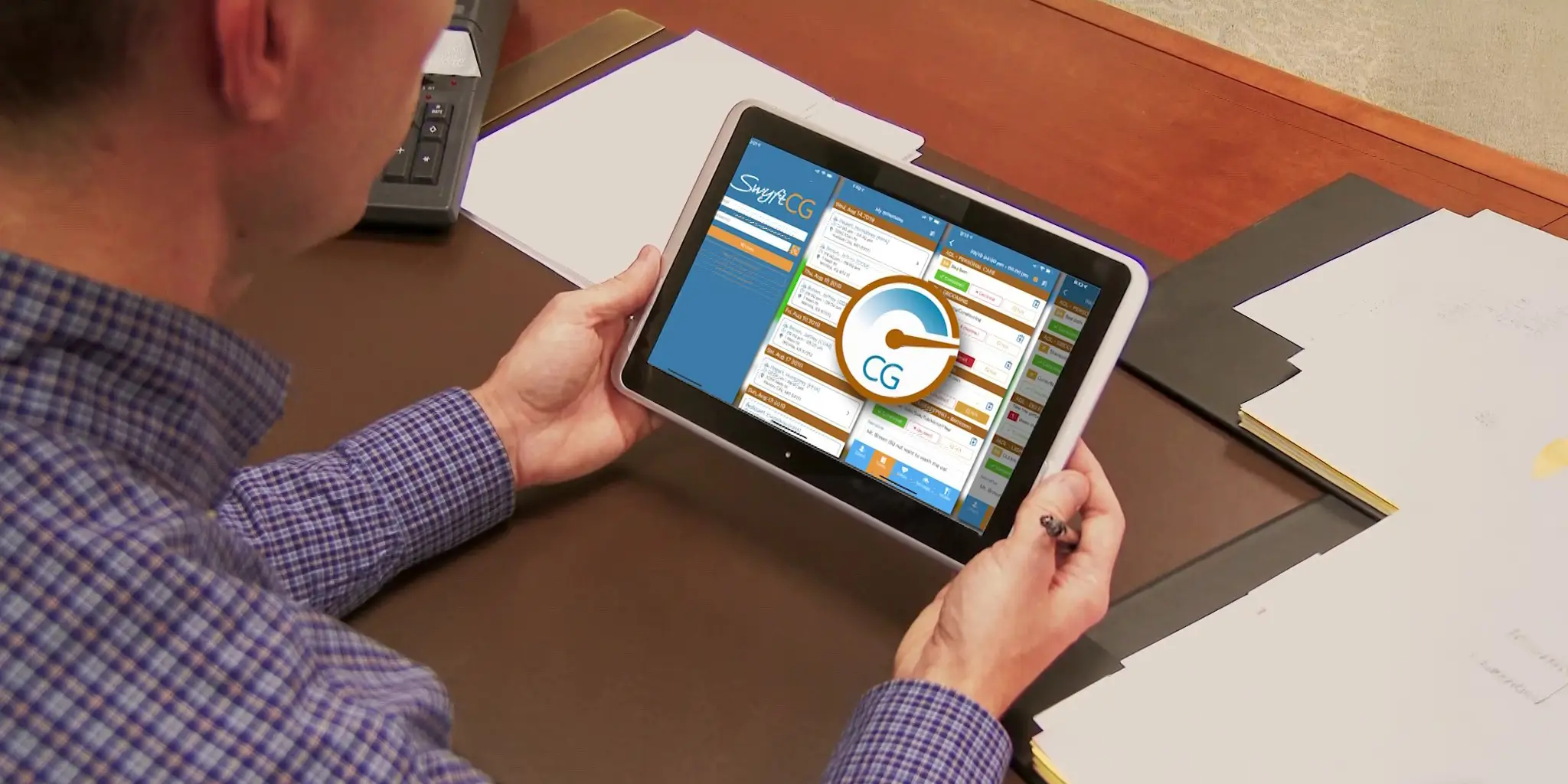
The SwyftCG caregiver app gives caregivers mobile access to the information and tools they need to complete their scheduled work.
Depending on the organization’s configuration, caregivers can view schedules and client information, clock in and out using Electronic Visit Verification (EVV), review assigned services or tasks, complete care documentation and flowsheets, enter shift narratives, capture required signatures, communicate with the office, and submit required information from the field.
Information captured during a caregiver’s shift flows into SwyftOps to support administrative review, payroll, billing, reporting, and compliance workflows.
Additionally, a variety of operational features can be enabled per-caregiver giving them the ability to adjust availability, send in documentation, provide compliance information, and more.
Does the SwyftOps caregiver app work offline?
Yes. The SwyftCG mobile app includes an offline mode for caregivers working in areas with limited or no cellular or Wi-Fi connectivity.
Caregivers can continue to clock in and out, complete documentation, and capture signatures while offline. Shift information automatically syncs with SwyftOps when connectivity is restored.
Some connected features, including messaging and notifications, are unavailable while the device is offline.
Does SwyftOps offer a family portal?
Yes. SwyftOps includes a Family Portal that allows authorized family members or other individuals connected to a client to securely access information through their own login.
Access is controlled by the organization, which determines who is invited to the client’s Family Portal. This provides families and other authorized individuals with access to appropriate client information while allowing the organization to maintain control over portal access.
Implementation, Training & Support
How long does it take to get started with SwyftOps?
Implementation time varies based on the size of the organization, the amount of data being migrated, required integrations, payer configuration, EVV requirements, and the complexity of existing workflows.
SwyftOps works with each organization during implementation to configure the system, prepare data, establish required integrations, and train users before going live.
What does the SwyftOps implementation process look like?
SwyftOps implementation is designed to configure the platform around the organization’s operational workflow and prepare staff to use the system successfully.
Implementation may include reviewing business requirements, configuring company settings, importing or creating client and caregiver records, setting up service codes and rates, configuring schedules, establishing billing and payroll workflows, connecting applicable EVV and partner integrations, configuring documentation, and training administrative users.
Training is provided via an LMS and live training sessions based upon the specific needs of the agency.
The exact implementation plan depends on the organization’s services, payers, integrations, and operational requirements.
What support is available after implementation?
SwyftOps provides immediate 24/7/365 access to live-person customer support, giving organizations ongoing assistance the day the agency can access SwyftOps continuing on after implementation rather than limiting support to the initial onboarding period.
Support can help users with platform questions, troubleshooting, workflow questions, and ongoing use of SwyftOps as their organization grows or changes.
SwyftOps also maintains a knowledge base with instructions and guidance for many platform features and workflows.
Still Have Questions About SwyftOps?
Have a question we didn’t answer here? Our team is happy to help you learn more about SwyftOps and how the platform can support your organization.
Ready to see SwyftOps in action? Schedule a free demo today.